![[STANDALONE]tc-playerscale-Adjust player height](http://dunb17ur4ymx4.cloudfront.net/packages/images/a86d441ca2a121274bebec9c5e725dea809f3192.gif)
[STANDALONE]tc-playerscale-Adjust player height
商品介绍
tc-playerscale - Dynamic Player Height Adjustment for FiveM 🚀
A lightweight yet powerful FiveM plugin that allows players to customize their character's height scale, enhancing roleplay immersion and making your server stand out!
Preview:https://www.youtube.com/watch?v=_RZcsW5ufdA
✨ Key Features
🎨 User-Friendly UI – Intuitive menu for easy height adjustment.
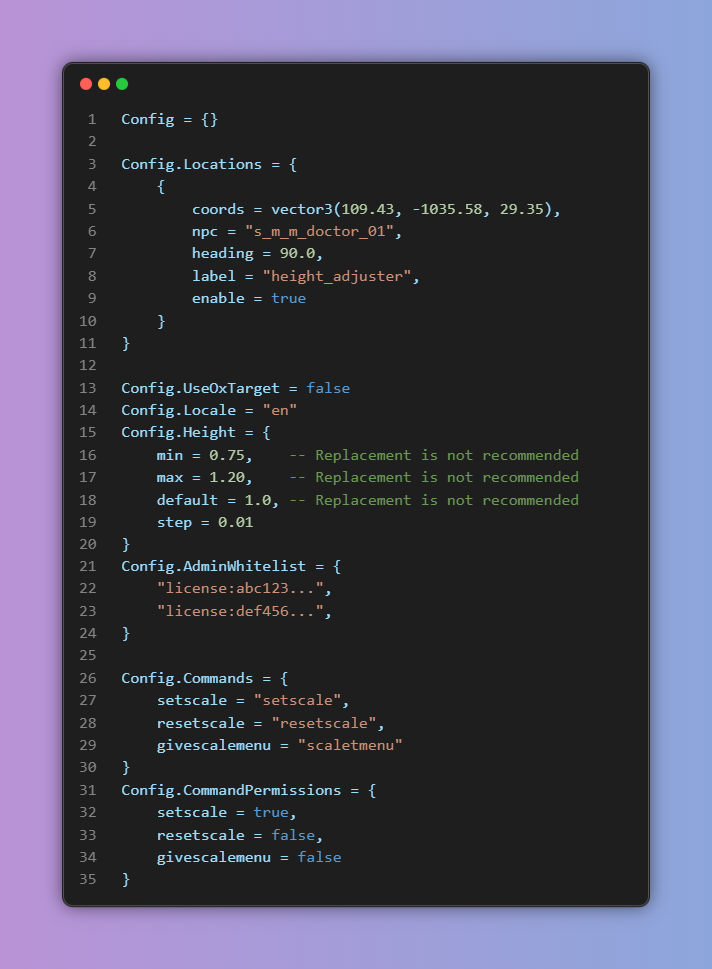
📏 Customizable Height Range – Default scale: 0.75~1.20 (configurable).
🛡️ Flexible Permissions – Built-in or FiveM ACE permission support (restrict usage to specific players).
🔌 Multi-Framework Support – Works with QBCore, QBox, ESX, or standalone.
🗣️ NPC Interaction – Talk to configured NPCs to open the height menu (toggleable).
🌍 Multi-Language Support – Easily localized for different player bases.
💾 Database Storage – Height settings persist after server restarts.
👥 Multi-Character Support – Different characters under the same account can have unique heights.(Using Frameworks)
⚡ Optimized Performance – Low resource usage, smooth operation.
🛠️ Commands
(If no player ID is specified, applies to self)
| Command | Function | Example |
|---|---|---|
| /setheight | Set player height | /setheight 0.90 [PlayerID] |
| /resetheight | Reset player height | /resetheight [PlayerID] |
| /heightmenu | Open height adjustment menu | /heightmenu [PlayerID] |
📥 Installation Guide
1️⃣ Import the database file (ensures data persistence).
2️⃣ Start the plugin and configure permissions if needed.
3️⃣ Done! Players can now customize their height freely!
🔐 Using FiveM ACE Permissions (Optional)
If you prefer FiveM's permission system, add this to your server config:
add_ace group.admin tc-playerscale.admin allow